NEWCommunity OVA is live — deploy free, no license required

Native tools show you what's there.
PilotHosts tells you what to do.

PilotHosts is the ops layer your team actually uses — sitting on top of whatever VMware stack you already have.

It does not replace vCenter, VVF, VCF or Aria. It complements them with execution-focused workflows for daily infrastructure operations.
VMware OperationsKubernetes Visibility
Screenshot coming soon
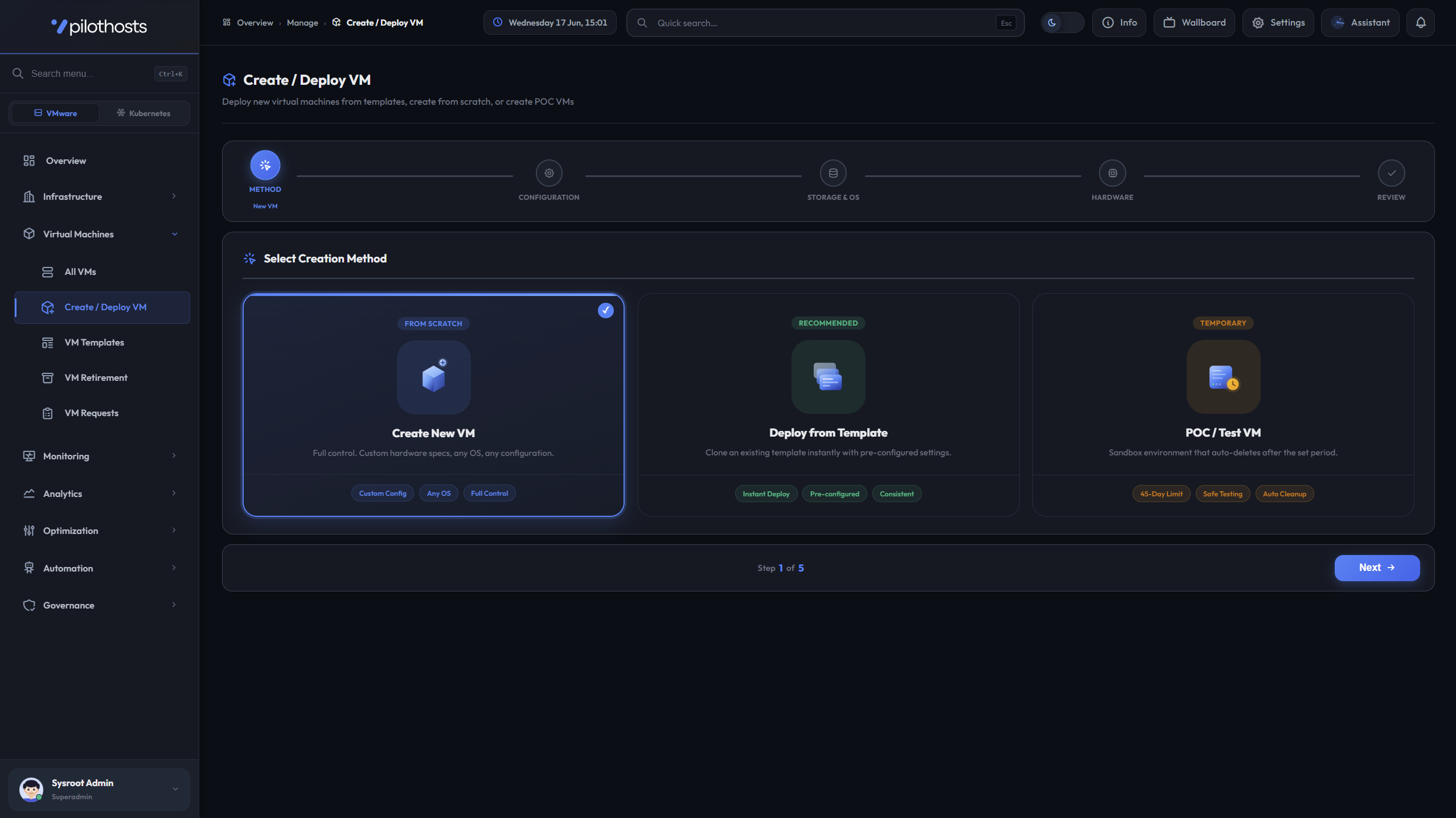
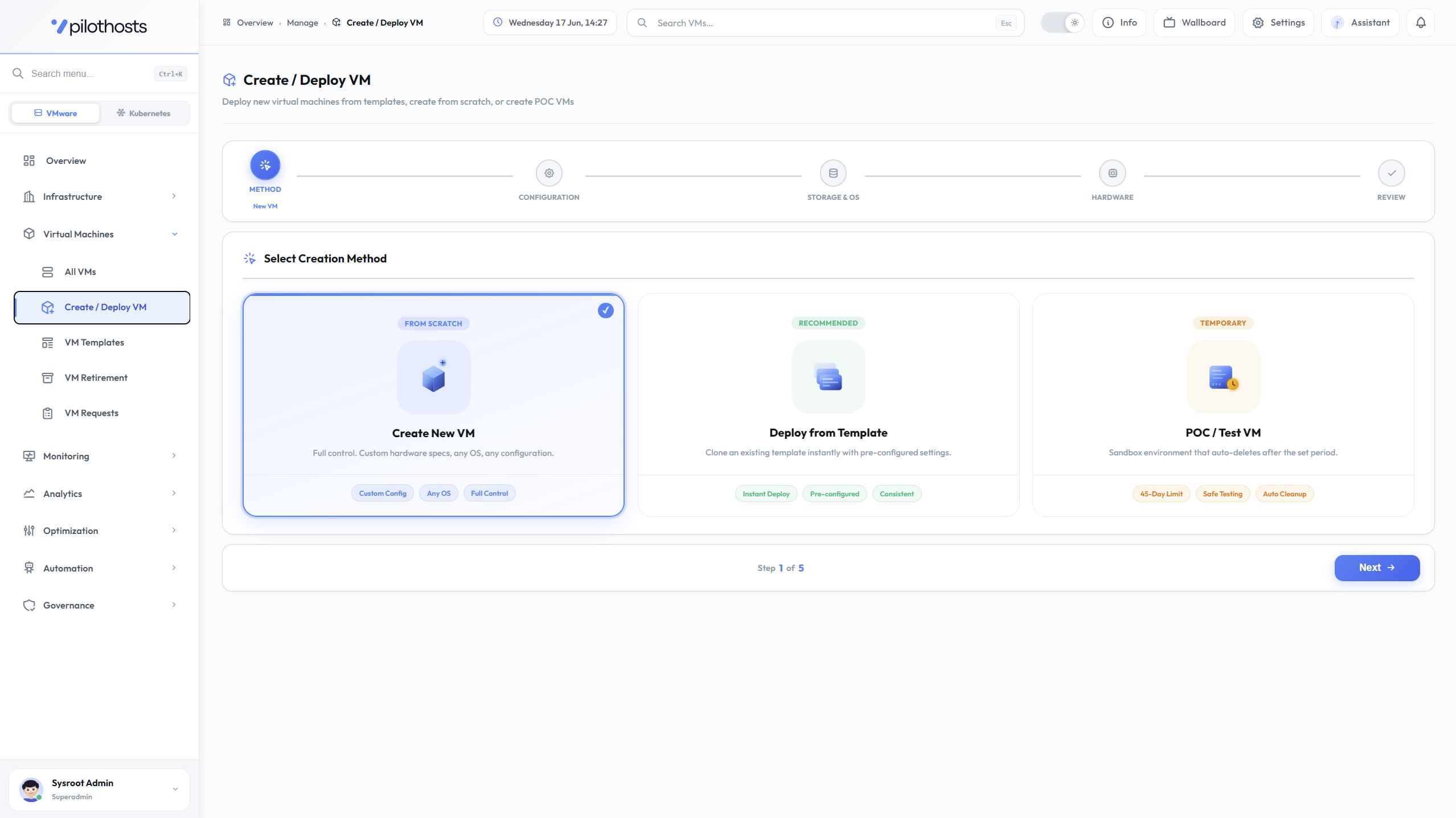
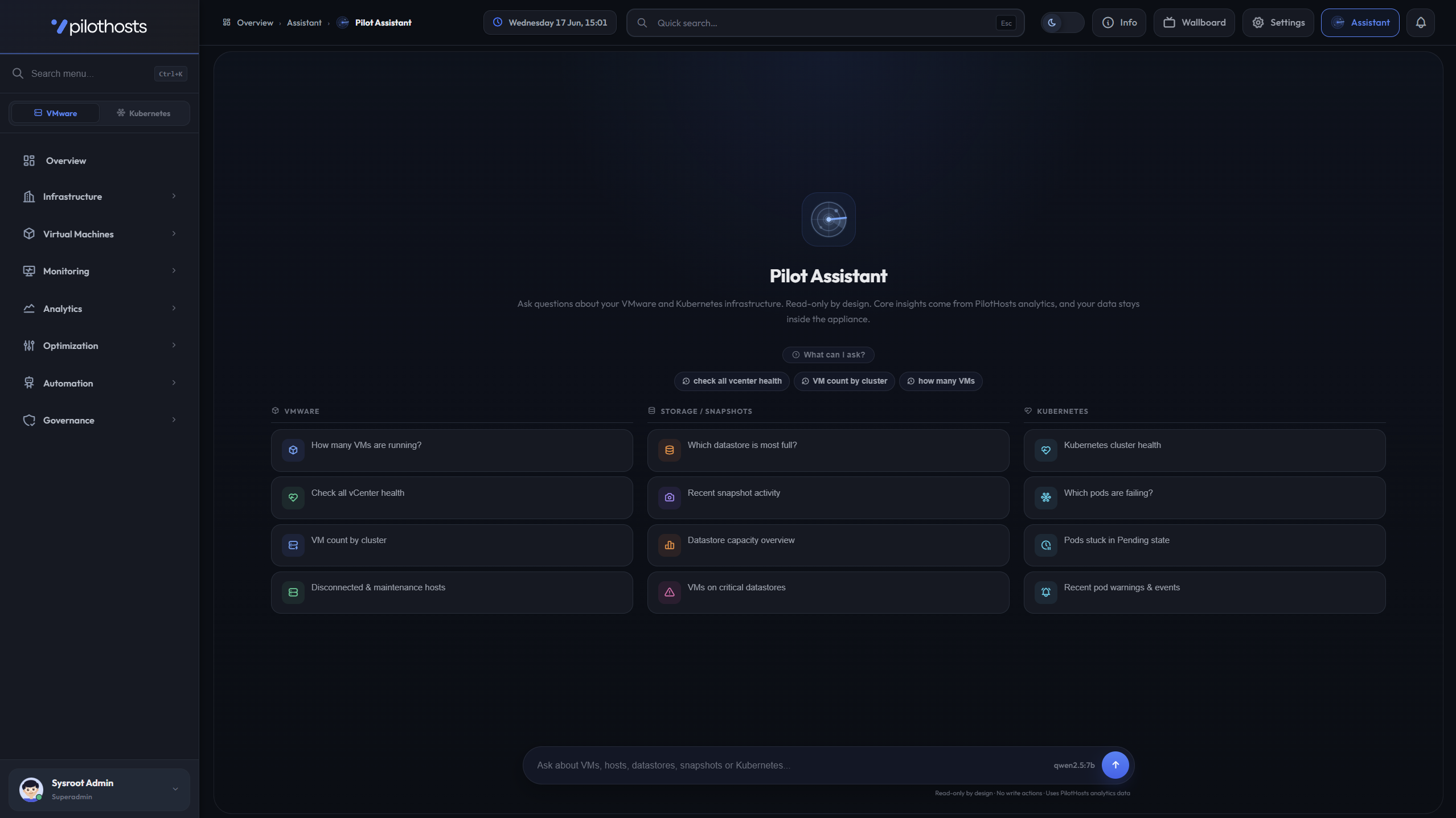
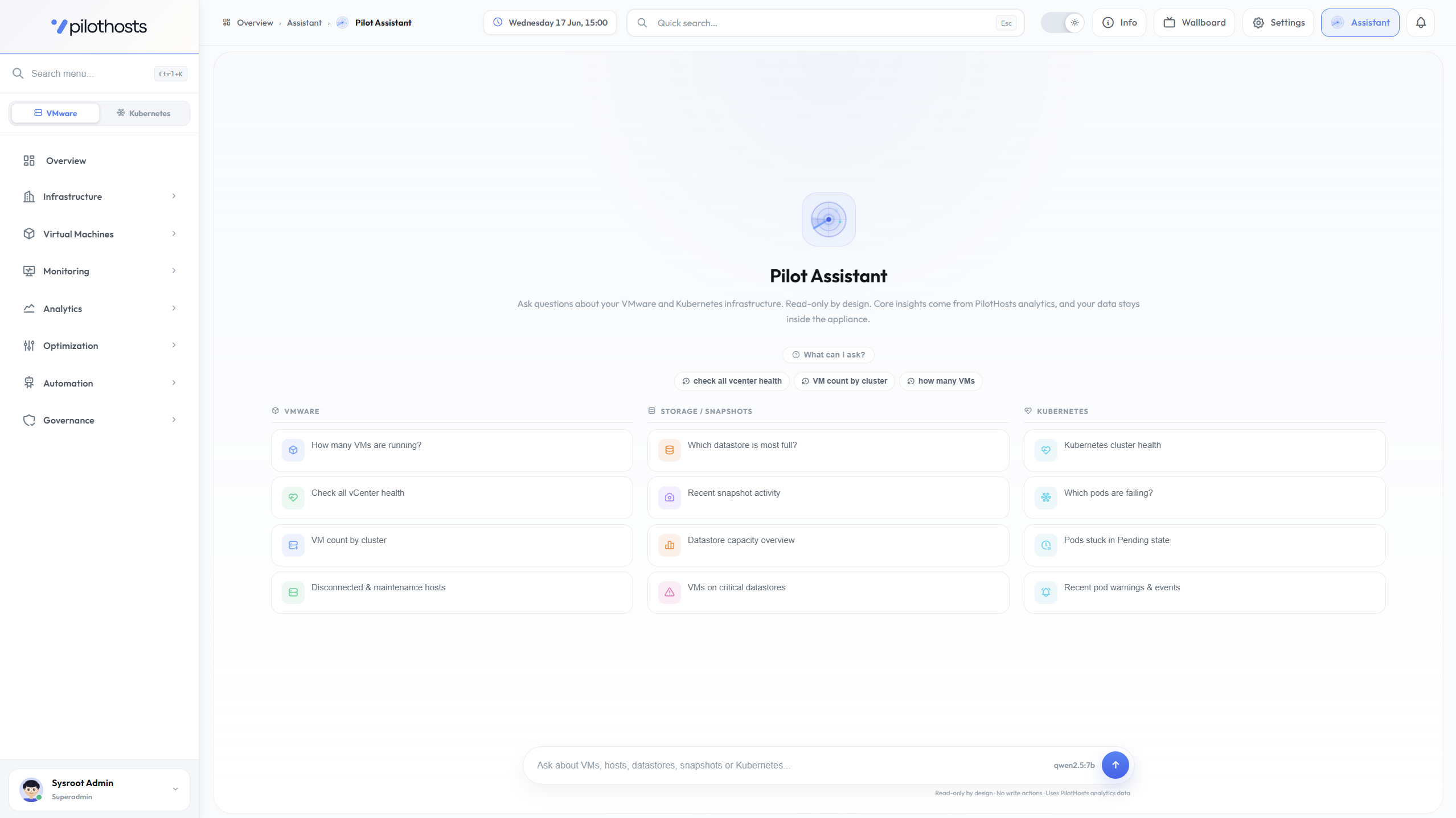
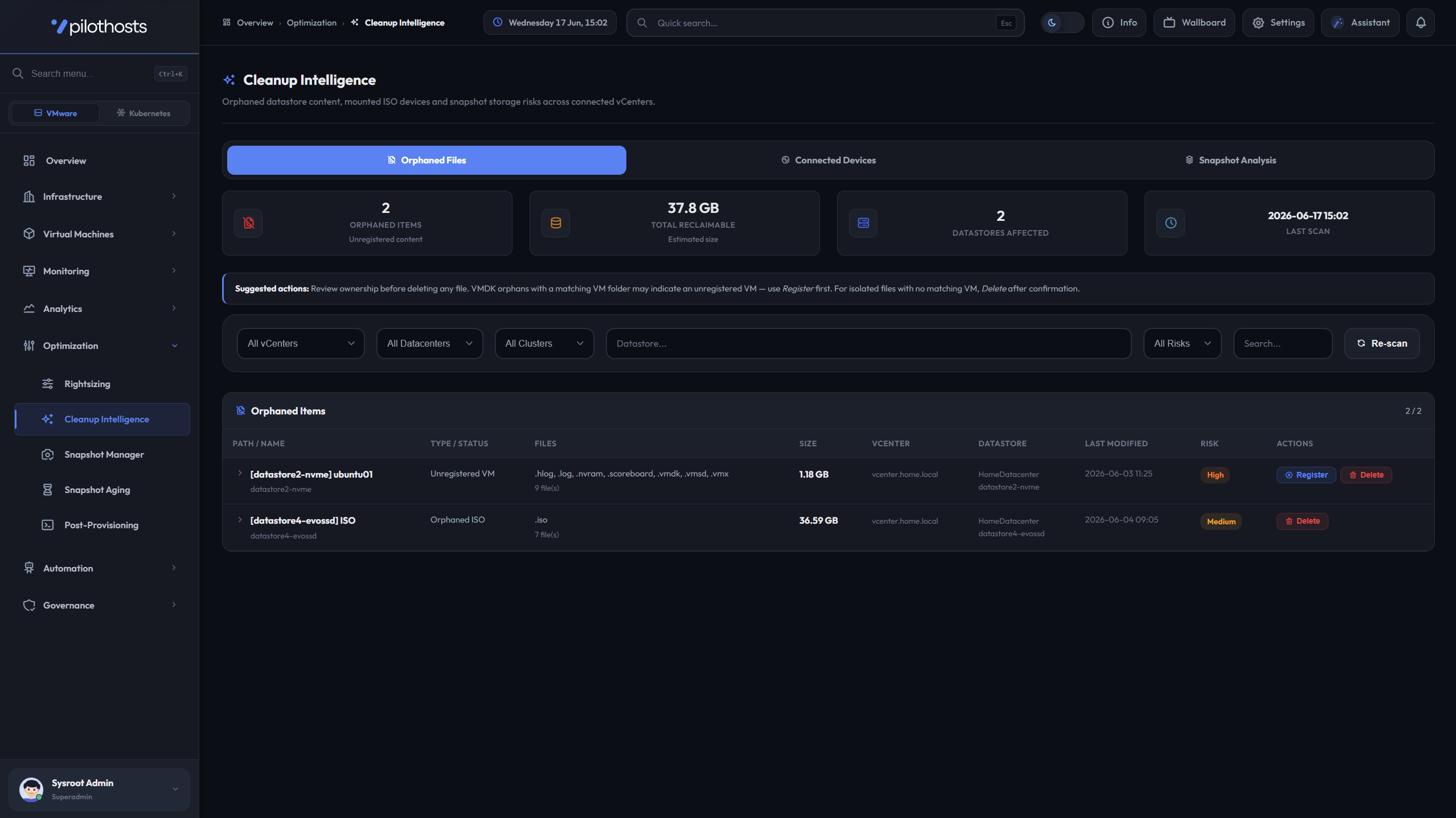
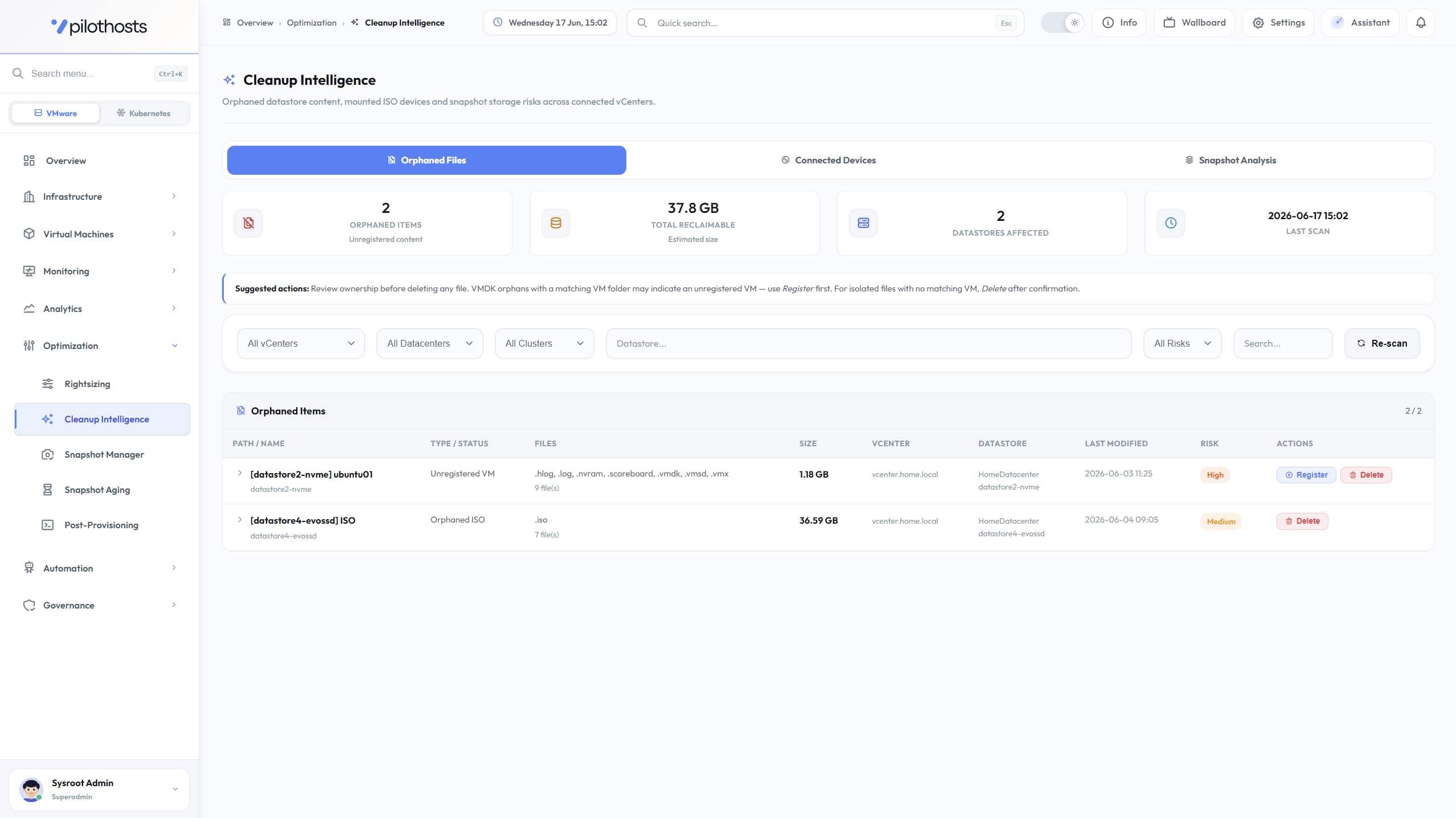
PilotHosts Cleanup Intelligence screen showing orphaned files and reclaimable storagePilotHosts Cleanup Intelligence screen showing orphaned files and reclaimable storagePilotHosts Create/Deploy VM wizard with template-based provisioningPilotHosts Create/Deploy VM wizard with template-based provisioningPilotHosts Pilot Assistant screen answering a question about the environmentPilotHosts Pilot Assistant screen answering a question about the environment

Inventory, health and risk context across vCenter, Kubernetes and OpenShift without switching consoles.

Trusted by brands that move the world

Company OneCompany TwoCompany ThreeCompany FourCompany FiveCompany Six
Compatible with
vSphere 7.0+
vSphere 8.0+
vCenter Server
Kubernetes API
OpenShift API
VMware Kubernetes / Tanzu
Ansible Automation
Platform

From infrastructure signals to operational clarity

PilotHosts combines VMware day-2 operations with read-only container platform visibility, helping teams operate across vCenter, Kubernetes and OpenShift without replacing existing tools.

VMware Operations

vCenter inventory, ESXi hosts, virtual machines, snapshots, capacity, compliance, cleanup and governed automation.

Kubernetes Visibility

Read-only visibility into clusters, nodes, namespaces, pods, workloads, services, ingresses, PVCs and health signals.

OpenShift Visibility

Project, route and workload visibility for OpenShift environments with Kubernetes-compatible inventory and health analysis.

Vendor-Independent Appliance

Runs as an on-prem appliance, connects through official APIs, stores data locally and does not require agents or changes to existing platforms.

Secure On-Prem Appliance

Encrypted credentials, Microsoft Entra ID SSO, TOTP MFA, granular RBAC and local appliance administration.

Cleanup Intelligence

Zombie/idle candidates, cleanup risk and waste signals before action is needed.

Snapshot Governance

Policy-based snapshot aging, ownership visibility, alerts and audit-friendly reports.

Ansible Automation

Reusable job templates, scheduled runs and execution history for governed VMware operations.

How It Works

Connect, collect, act with context

Deploy the appliance, connect platforms through official APIs, and review local operational findings.

01

Deploy the Appliance

Import the PilotHosts appliance into your infrastructure. No agents, no plugins and no external SaaS dependency are required.

02

Activate Your License

Activate online or offline. License data is cached locally and designed for restricted environments.

03

Connect Platforms

Add VMware vCenter environments, Kubernetes clusters or OpenShift clusters using official APIs and encrypted credentials.

04

Collect Read-Only Signals

PilotHosts collects VMware operational data and Kubernetes/OpenShift visibility signals on a schedule, storing inventory and findings locally.

05

Act with Context

Use dashboards, findings, reports and safe automation workflows to reduce manual investigation and operational risk.
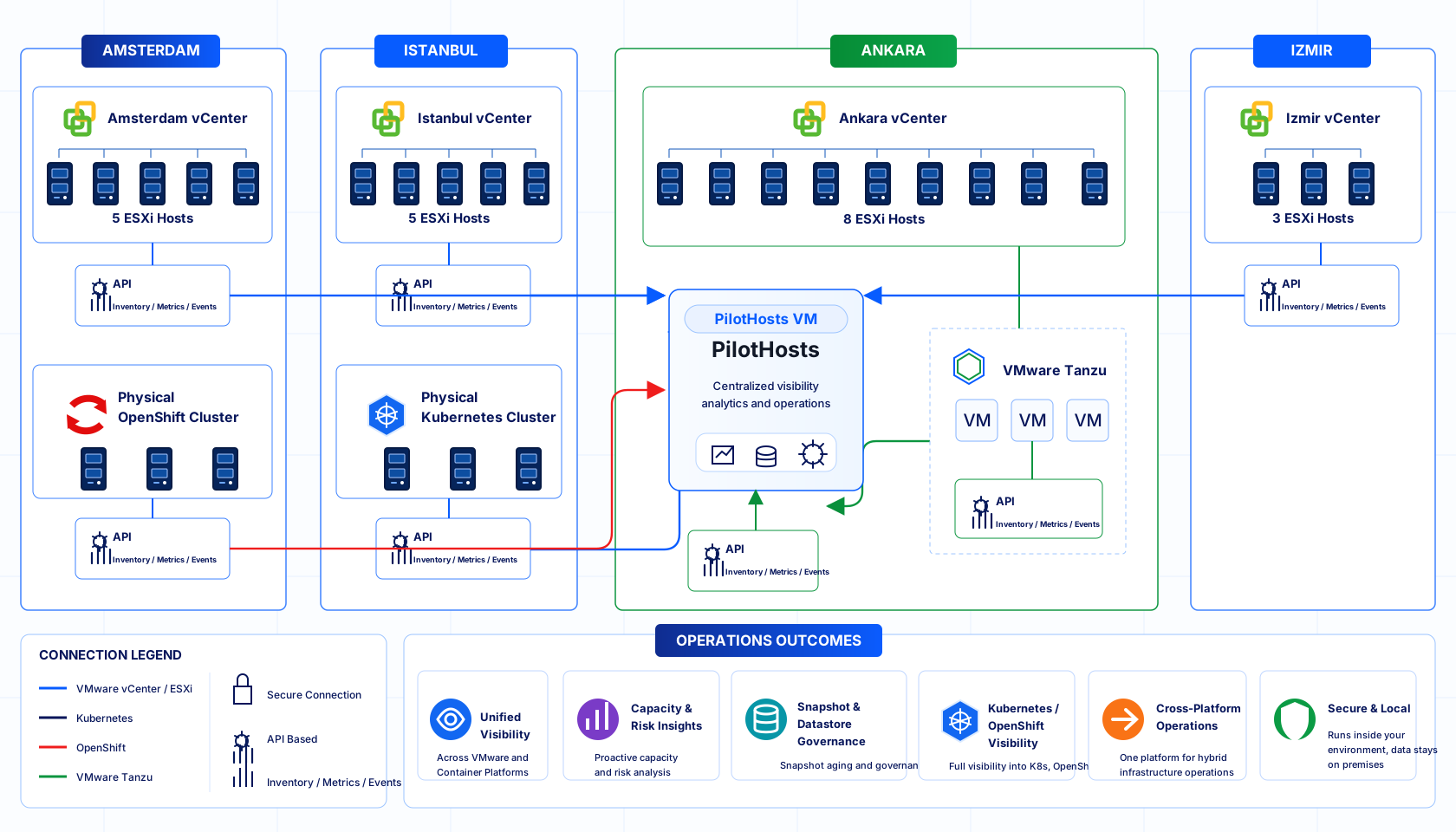
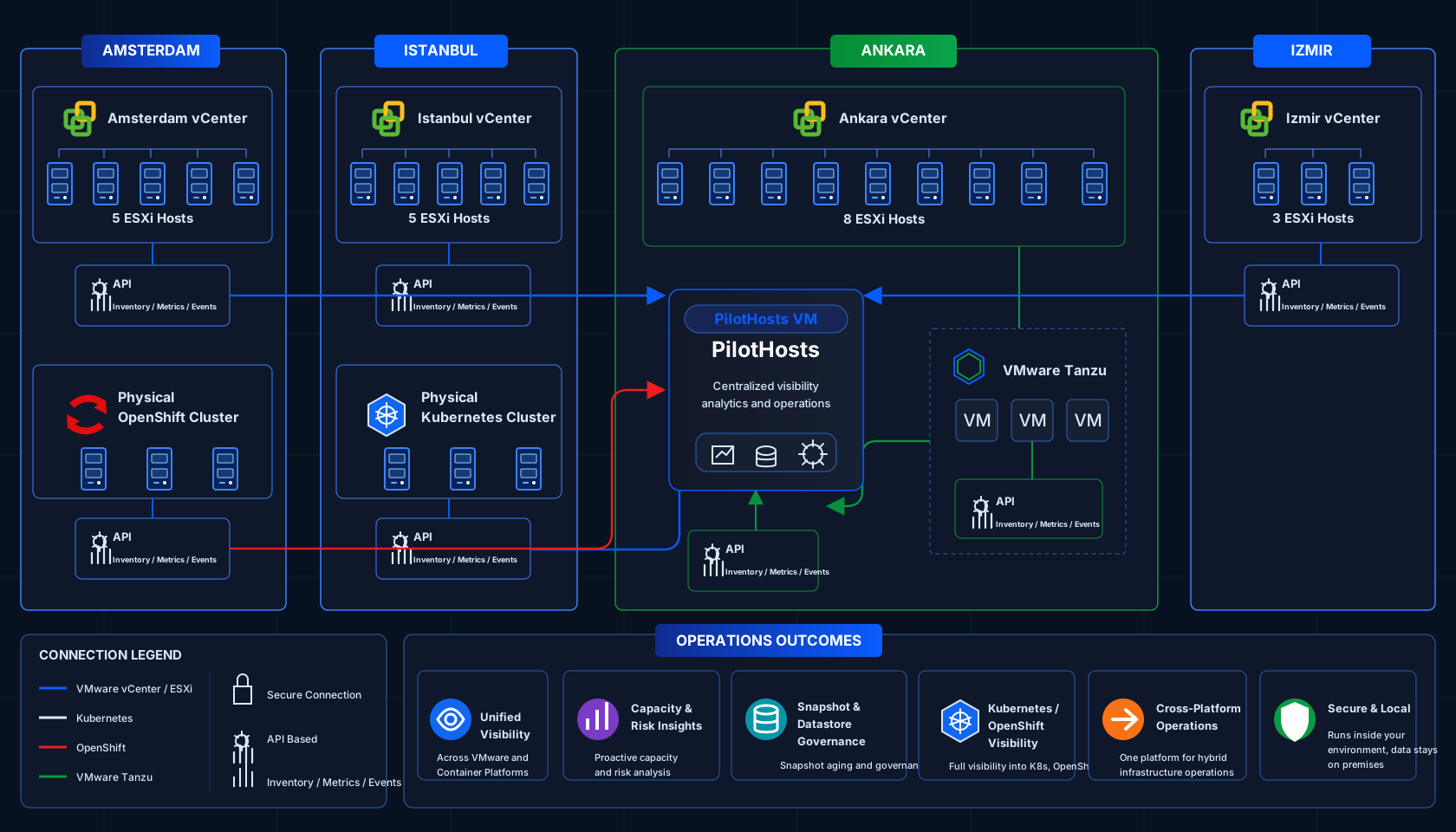
PilotHosts multi-site hybrid infrastructure architecture diagramPilotHosts multi-site hybrid infrastructure architecture diagram
Enterprise Governance

Enterprise Access & Governance

PilotHosts supports Microsoft Entra ID SSO and granular RBAC so infrastructure teams can control exactly who can view, operate, automate or administer each part of the platform.

Identity

Microsoft Entra ID login

Use Microsoft identity for SSO while keeping explicit PilotHosts user linking under administrator control.

Access

Granular RBAC

Create role templates and precise action permissions for VM, snapshot, backup, API token and Kubernetes visibility workflows.

Control

Audit & API governance

Track user actions, automation changes and API token usage with local governance context.

Recovery

Encrypted backup and restore

Protect appliance configuration and operational data with encrypted backup and restore workflows for controlled recovery.

Local Intelligence

Pilot Assistant explains findings locally.

Use it for read-only summaries of VM health, capacity, snapshots, compliance and Kubernetes/OpenShift visibility signals.

Ask infrastructure questions in plain language

  • VM, datastore and snapshot summaries
  • Kubernetes/OpenShift health prompts
  • No console-hopping for first triage

Uses local operational context

  • Answers from appliance analytics
  • Operational data stays local
  • Grounded in current inventory

Read-only by design

  • No infrastructure mutations
  • No generated SQL execution
  • No destructive assistant actions

Shortens triage loops

  • Summarizes risk and capacity signals
  • Highlights likely next checks
  • Turns findings into operator context

Deterministic findings remain the source

  • Based on PilotHosts reports
  • Uses metrics, policy and audit data
  • Assistant explains, analytics decide
How PilotHosts Fits

One appliance above your existing platforms.

PilotHosts keeps each platform in its own role and adds one operational layer for findings, reports and governed actions.

VMware stays core

Day-2 visibility, cleanup, snapshot governance, reporting and safe automation for vCenter environments.

Containers stay read-only

Kubernetes and OpenShift signals are collected for health, inventory and risk context only.

No platform replacement

PilotHosts does not replace vCenter, VCF, Rancher, OpenShift Console, Aria Operations or Turbonomic.

Local and API-based

Runs as an on-prem appliance, uses official APIs, stores data locally and requires no agents.

Core Workflows

Three workflows operators use every day.

Keep the product surface focused: see the environment, reduce waste and run governed actions.

01

Unified visibility

Inventory, health and risk context across vCenter, Kubernetes and OpenShift without switching consoles.

02

Cleanup governance

Find idle VMs, old snapshots and waste signals before taking controlled action.

03

Repeatable automation

Use policies and Ansible job templates for recurring VMware operations with audit history.

04

Operational reporting

Turn findings, inventory and governance activity into clear reports for infrastructure teams.

05

Rightsizing Intelligence

Find over-provisioned and under-provisioned VMs without Aria Operations.

Licensing

Simple licensing for hybrid operations

VMware operations are the core. Kubernetes/OpenShift visibility is included as a read-only preview.

Free Forever

Community Edition

Free, single-node evaluation of core VMware operations.

Freefor evaluation
1 vCenter1 ESXi Host
  • Overview
  • Datastores
  • Environments View
  • Asset Management
  • VM Inventory & Summary
  • Create / Deploy VM
  • VM Timeline
  • Recent Tasks
  • Deployment Logs
  • Cleanup Intelligence
  • Snapshot Manager
  • VM Request
Download

Annual license. Per deployment. Measured by ESXi host count.
Multi-year discounts available.

FAQ

Common questions

Short answers for teams evaluating PilotHosts.

Does PilotHosts manage Kubernetes workloads?
No. Kubernetes and OpenShift support is read-only. PilotHosts collects inventory, health and risk signals but does not deploy, scale, restart or manage cluster lifecycle.
Does PilotHosts replace vCenter, VCF, Rancher or OpenShift Console?
No. PilotHosts sits above existing platforms to provide operations visibility, findings, reporting, cleanup governance and safe automation.
Where does operational data live?
PilotHosts runs as an on-prem appliance. Credentials are encrypted and operational data is stored locally.
How is licensing measured?
Licensing is per deployment and measured by ESXi host count. Kubernetes/OpenShift Visibility Preview is included during the preview period.
Is it risky to connect to a production vCenter?
No. PilotHosts performs no write operations in the background. Creating or deleting VMs, snapshots and power actions all require an explicit action started by the user from the UI. There is no automatic process that could trigger by accident.
How many vCenters can be added?
It depends on your license plan. All dashboards, reports and diagnostic tools work across multi-vCenter data, with each vCenter kept in its own segmented context.
Does Rightsizing Intelligence require Aria Operations or vROps?
No. PilotHosts uses native vSphere PerformanceManager counters directly — mem.consumed, mem.granted, mem.vmmemctl (balloon) and mem.swapped — alongside VMware Tools reliability checks. Aria Operations metrics are not available through the vSphere API and are not used.
How is PilotHosts installed, and what's the core value?
Deploy the PilotHosts OVA inside your own VMware environment — no agents, no cloud dependency. It gives infrastructure teams secure, appliance-based operational intelligence across VMware and Kubernetes: unified visibility, cleanup governance, automation and reporting from one on-prem appliance.